MARKABLEFOR CLINICIANS
Private preview Invitation link
Objective data for the menopause transition

She arrives with the whole picture already mapped.

In about seven minutes on her own phone, before she ever sits down with you, MARKABLE maps how the hormonal transition is affecting her: cognitive performance, hearing and vision, dozens of markers computer vision reads across skin, hair and eyes, alongside comprehensive symptom mapping. You open one screen and the visit starts at the decision.

Nothing to install. No integration required to start. You can invite your first patient before you finish this page.

One selfie, hundreds of facial signals
Fused with cognitive and sensory measures into a single score by a patent-pending multimodal model.
For the clinician who wants the science

The multimodal model, the cohort, the methodology and the limitations are written up in full. We send it to clinicians and clinical teams who ask, and we are happy to talk it through.

HIPAA compliant · SOC 2 in progress · patent pending
What the seven minutes contain

Objective signals first. The symptom picture completes them.

Most of what MARKABLE reads is not something she reports. That is the point.
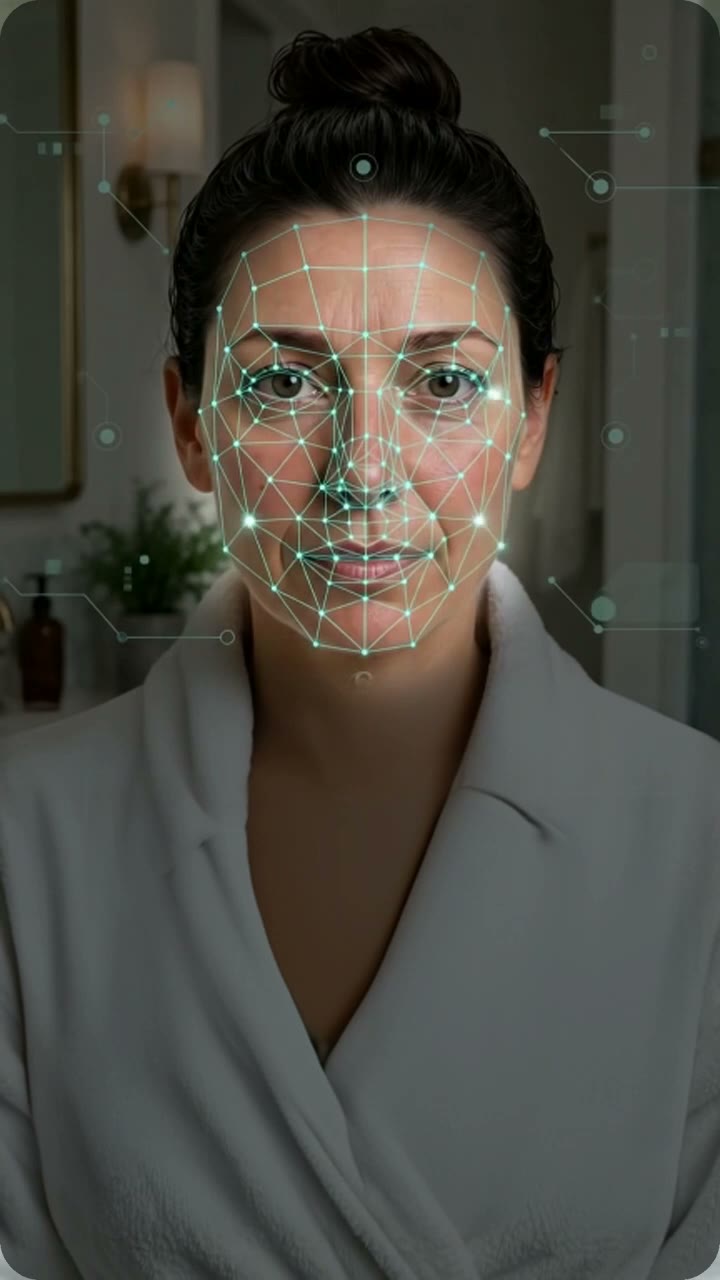
Facial signals, from a single selfie

Computer vision analyzes hundreds of facial signals. In our internal analysis a focused set of them showed statistically significant differences linked to the hormonal transition, among them proprietary signals.

  • Skin, hair and eye-area markers
  • Blur-neutralized and age-corrected

Cognition and sensory sampling

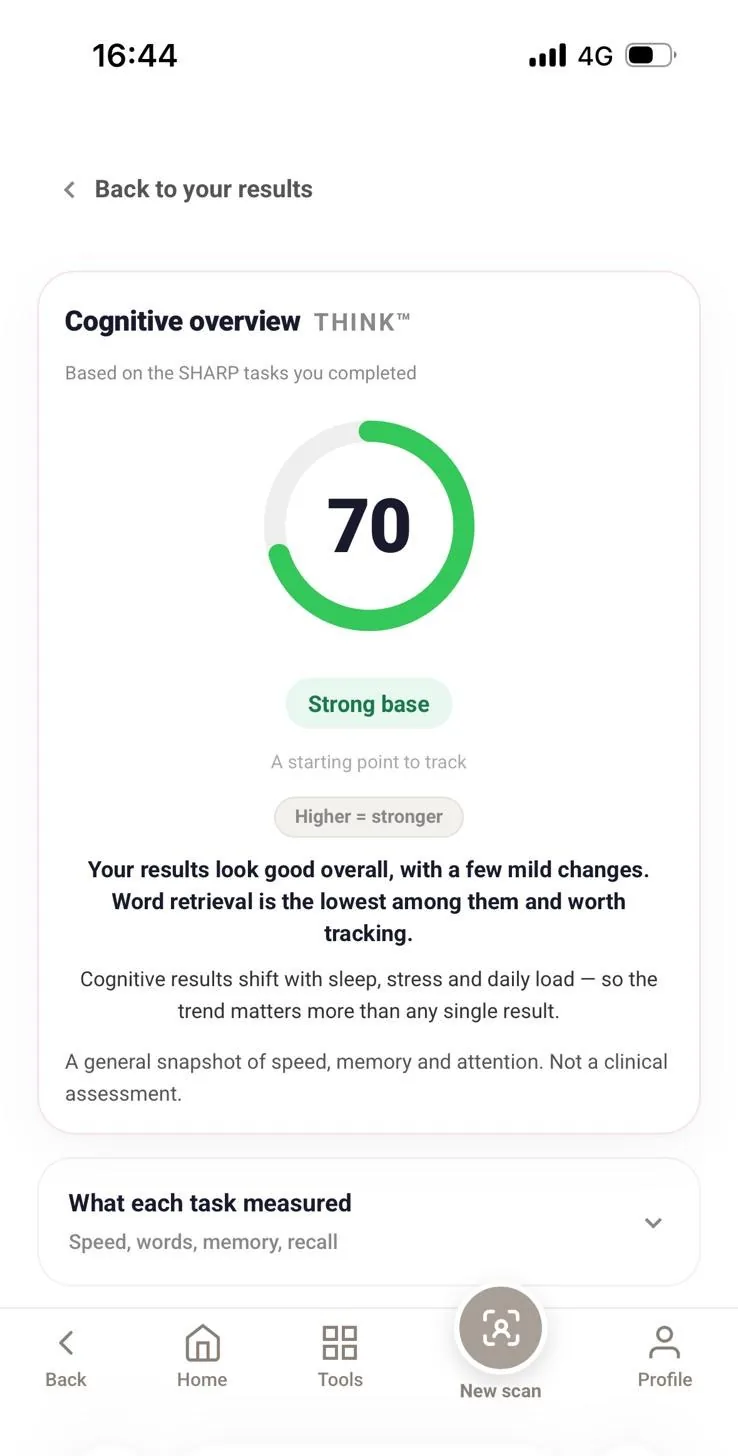
Short structured tasks measure reaction speed, word retrieval, working memory and delayed recall, plus a brief sample of hearing and of light and contrast perception.

  • Same tasks every visit, so the trend is comparable
  • About four minutes of the seven

Comprehensive symptom mapping

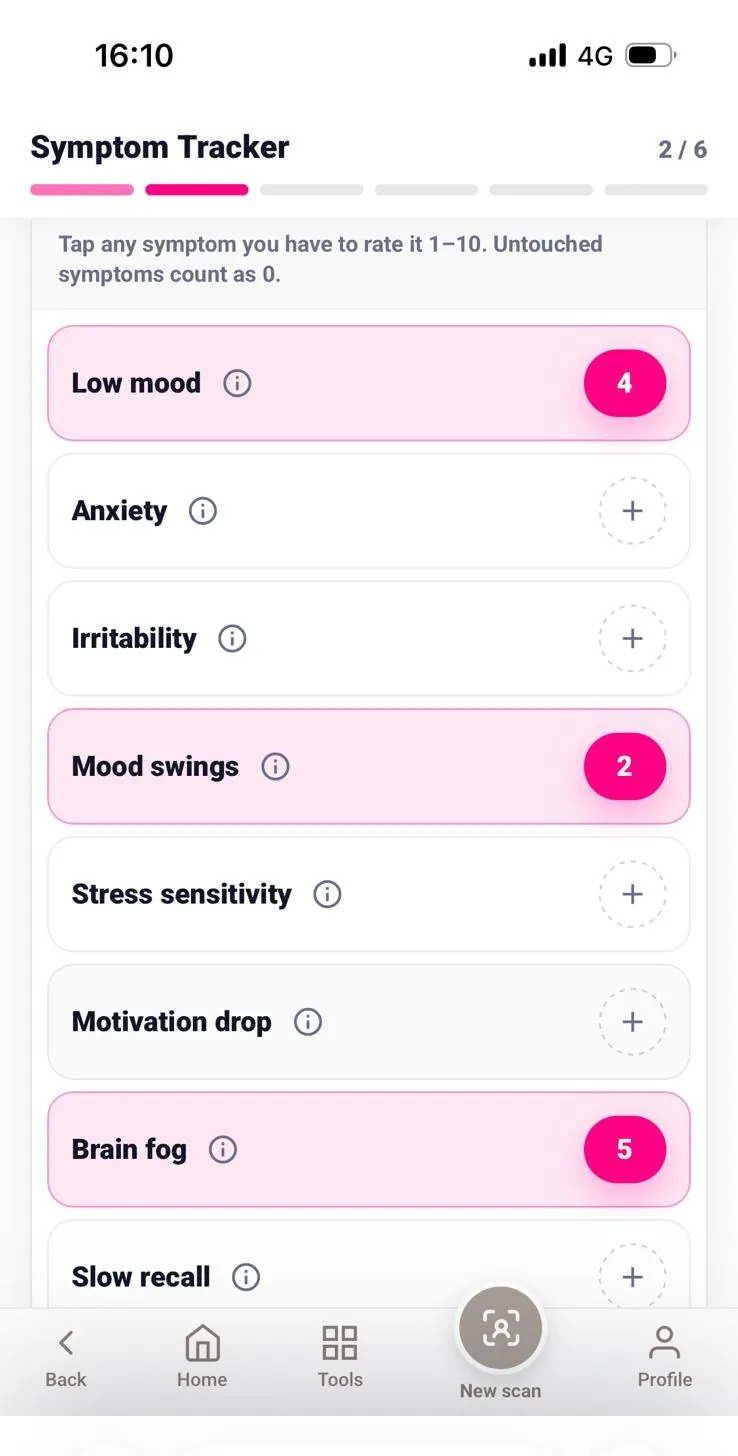
A systematic sweep of about 100 possible symptoms with severity, completed at her pace at home. It arrives structured, rated and ready, so the conversation starts where it matters.

  • Rated items surface at the top of her summary
  • Repeatable between visits
How it lands in your day

Three moves. None of them add work to the visit.

01

You send a link

From the portal, by email or text, or as a QR card in the room. She completes the mapping at home, usually the same evening.

Your time: about 10 seconds
02

You open one screen

Her summary is one page: what matters most to her, what the objective measures show, what changed since last time, and a chart-ready paragraph you can copy.

Your time: about 60 seconds before the visit
03

You watch it move

Every follow-up repeats the same measures, so the change is measured rather than remembered, and she can see it too.

Your time: it replaces the recall question
Before you commit two minutes

The questions clinicians actually ask us.

What is this classified as?
A health and wellness platform for awareness and personal tracking. It is not a diagnostic device and is not intended to diagnose, treat, cure or prevent any disease. It does not measure hormone levels: no blood test, saliva sample or hormonal assay is involved. The patterns it presents are inferred algorithmically from the multimodal signal and the symptom mapping. Every clinical decision stays with you.
Do I have to connect it to my EHR?
No. Today the report is a page you can print, download as a PDF, or copy into the chart as plain text, and a secure link you can open on any device. A direct write-back into the chart through the athenahealth Marketplace is on our roadmap and is described in the portal under Where the report goes, marked as roadmap.
What do I have to install?
Nothing. The portal runs in your browser. Your patient uses the camera and screen she already has, on any standard smartphone, with no wearable and no device to ship.
How strong is the evidence, honestly?
The fused multimodal model reaches AUC 0.87 on distinguishing the perimenopausal transition, with leave-one-out cross-validation and a 95% confidence interval of 0.72 to 0.97, and it performs better than any single channel on its own. That is an early internal analysis, and the cohort, the methodology, the confidence intervals and the limitations are all written out in a validation report we send to clinicians and clinical teams who ask. Ask for it and read it before you decide anything, which is how we would want to be treated.
Who sees which patient?
Your practice decides, and you can change it at any time. The default we ship, which matches how most US small practices already operate, is that every clinician in the practice can see every patient in the practice, with each patient assigned to a responsible clinician. The practice admin can reassign a patient in one action, which is what actually happens when a colleague is out.
What does it cost to try?
Setting up the practice and inviting patients costs nothing during the preview. If your practice decides to keep it, pricing is a flat monthly practice fee, in line with the patient-engagement tools you already buy. Nobody is asked for a card to set up.
Who owns the data?
Your patient owns her own record and can export or delete it. Your practice owns the clinical record you generate from it. MARKABLE processes it under a business associate agreement, which is accepted in the setup flow and is available to download before you accept.

Set up your practice and send your first invitation in the next two minutes.

Four short steps. No card, no call, no IT ticket. You can walk through the whole thing with a sample patient first and invite a real one when you are ready.

MARKABLEPRACTICE SETUP
Takes about 2 minutes · you can change anything later
Step 1 of 4

Who is setting this up?

This becomes your sign-in and makes you the admin of the practice. Two fields now, the rest whenever you feel like it.

We send the sign-in link here. No password to invent.
Needed only if your practice later bills for the clinician time. Nothing here is blocked without it.
Deferred on purpose: license state, phone, specialty, logo. None of them change what you see next.
MARKABLEPRACTICE PORTAL
Meridian Women's Health

Good morning, Jordan.

Your practice went live 4 minutes ago.

Your patients

1 sample record

Your practice is live. Now send one invitation.

You are looking at a real portal with one sample record in it, so nothing here is a blank screen. The moment a patient of yours finishes her mapping, she appears in this list under your name.

Practice created
Meridian Women's Health, New York. You are the admin.
Invite your first patient
Email, text, QR card, or paste the link above wherever you already talk to her.
Open the sample summary
Sarah Mitchell, six visits, forty-five weeks of check-ins. This is what one minute before a visit looks like.
Add a colleague · optional
Only if someone else in the practice will send invitations too.

Sample record

Sample data
SM
Sarah Mitchell Yours
Age 49Visit 6Week 45
Brain fog downCompleted today

What happens next

She opens the link on her phone and completes the mapping in about seven minutes, usually the same evening.

You get one notification when she finishes. Not before, and not one per screen she fills.

Her summary is ready before you open her chart. Nothing to reconcile, nothing to connect.

MARKABLEPRACTICE PORTAL
Meridian Women's Health
The minute before the visit

Sarah Mitchell

Age 49 · visit 6 · week 45 of tracking · responsible clinician: you

This is the full report, the same one you can print, save as a PDF or attach to the chart. In the portal it opens inside the patient record so you never leave the list. Open it in its own tab.

Chart-ready paragraph

Patient completed her sixth structured mapping on Nov 24. Across 45 weeks and 43 weekly check-ins, self-reported brain fog declined from week 35, following the reported estradiol increase from 0.75 to 1.5 mg/day at visit 5. Hot flashes and sleep disruption remain low. Hair thinning, reduced libido and urinary urgency unchanged. No red-flag symptoms in self-report. Reviewed with the patient at today's visit.

The scientific summary

We will send you the write-up of the multimodal model: what was measured, on whom, how it was cross-validated, what the confidence intervals are, and what a larger study still has to resolve. Written for a clinician to read critically, not for marketing.

Invite a patient

Whoever is selected here is who her record lands under, and the link carries it. Nobody has to connect them afterwards.

Copying the link keeps your practice as the sender of the message, which is the cleaner position for text messages under TCPA and for email under HIPAA. Sending from here is fine too, and carries the consent language with it.

RG

Rachel Goldman

Age 44 · week 4 of therapy · visit 2 · reported today, 06:40
What she reported

Breast tenderness, mild, new this week

"It's not too bad, but it's new since I started, and I wanted to check that it's normal."

Red-flag screen clear.

Her report contains no unscheduled bleeding, chest pain or leg swelling. Reports containing red-flag terms are moved to the top of this list automatically.

One-tap actions

MARKABLE presents what she reported and whether the red-flag screen is clear. It does not interpret the report, does not check contraindications and does not suggest a change. The clinical decision is yours.

Add a clinician

They receive a sign-in link and their own invitation link. No password to set up.
Clinician
Sends invitations, sees patients under the practice access setting, cannot change practice settings.
Coordinator
Sends invitations and sees who has finished. No clinical view of any record.
Practice admin
Everything a clinician can do, plus adding people, reassigning patients and changing the access setting.

Reassign patients

Michelle Okafor is out until Sep 15 and is the responsible clinician on 9 patients. Move them, and every new mapping, every between-visit report and every reminder follows.

A temporary move hands them back automatically on the date, and the patients are never notified of the change.
Every reassignment is written to the practice access log with who moved whom, when, and until when.

Send her copy

She gets her own version of this summary, written for her rather than for you, with her trend and what she told you matters most to her.

She can save it, print it, or upload it into her own patient portal, which is how an outside document reaches the chart today without any integration.